


Newark Advocate
3.545.00 Reviews
App Specs
- Version
- 8.10.3
- Updated On
- License
- Free
- Downloads
- 10,000+
- Developer
- USA TODAY Co.
- Categories
- News & Magazines
- Platform
- Android
Screenshots


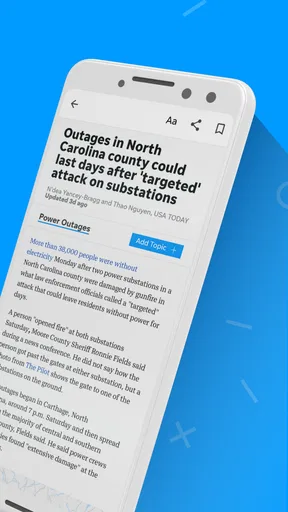

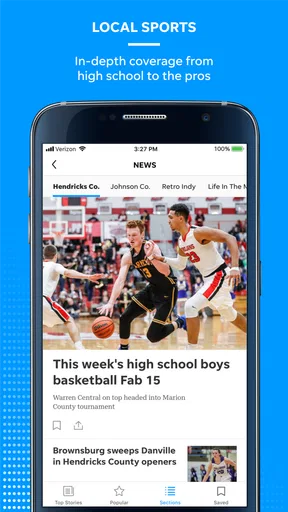


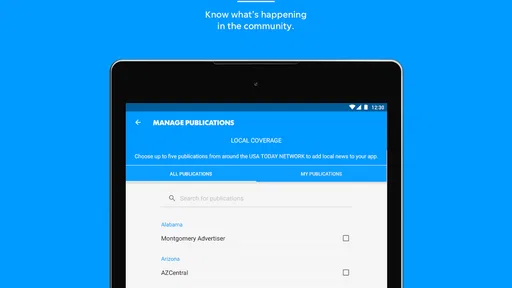
 Analysis by AppCompare
When I want news that feels connected to a particular community rather than a never-ending national feed, I look for an app that can make local reporting easy to reach while still giving me broader stories when I need them. Newark Advocate is aimed at that exact habit. It is a free news and magazines app from USA TODAY Co., built around coverage associated with Newark Advocate, with local and national reporting, photography, and video in one mobile reading experience.
My first impression is that this is not trying to replace every news source on my phone. Its value is more focused: it gives readers who care about Newark-area news a convenient place to check what is happening, then adds enough national material to keep the app from feeling too narrow. That makes the decision less about whether it has the largest possible news library and more about whether its local focus matches your daily routine.
What I considered before recommending it
I judge a local news app by four practical questions. Can I reach the stories that matter to me quickly? Is the mix of local and national coverage useful rather than distracting? Does the presentation make photographs and video worth opening on a phone? And can I understand the cost before making it part of my routine?
Newark Advocate starts from a strong position for readers who already identify with its coverage area. The app has been available since late summer of 2012, so it is not a newly assembled experiment. Its current version is 8.10.3, and it supports devices running Android 8.0 or later. That older operating-system threshold is helpful for people using a phone that is no longer new, although anyone with a very old device should still check compatibility before planning a switch.
The app is free to install, which makes testing it straightforward. The important distinction is that free installation does not necessarily mean every part of the reading experience is free. In-app purchases range from $9.99 to $69.99 per item, so I would treat the download as an opportunity to inspect the available access options rather than assume that all articles, video, or premium material will remain open without payment.
Its audience rating is Everyone 10+, a useful signal for families deciding whether the app is broadly suitable. News can still cover serious or upsetting events, of course, so I would not confuse that label with a guarantee that every story will be comfortable for younger readers. It simply places the app in a generally accessible age range.
How the reading experience fits a normal day
I can imagine using this app in short visits rather than sitting down for a long reading session. In the morning, I might scan local headlines to see whether there is a community story, public issue, or regional development worth following. Later, I could open a national article when I want context beyond the immediate area. That local-to-national movement is more useful than it sounds because it keeps the app relevant even on a day when there is no single local story I urgently need.
Worth Reading Before You Choose

EA SPORTS FC Mobile 26 Is a Bigger Football Game, but It Takes Time

Flipboard Shows What News Apps Must Do Beyond the Feed

Switching to Android Auto Means Rethinking Your Driving Routine

Google Calendar Makes a Crowded Week Easier to Manage

Ludo King Makes the Most of the Minutes Between Plans

Baby Panda World Brings Quick Play to Modern Phones, but Its Game Library Feels Busy
The photography and video also change how I decide what to open. Text is still the reason to use a news app, but strong images can help me understand a community event, a public scene, or a developing story faster than a headline alone. Video is useful when a written summary would leave out atmosphere or visible detail. My practical tip is to treat those formats as selective extras: open them when they add understanding, but do not let a visually prominent item pull you away from the local stories you actually came to read.
That is one of the app’s less obvious trade-offs. A rich presentation can make browsing more engaging, but it can also turn a quick check into a longer session. If you are trying to limit screen time, I would open the app with a clear purpose—local headlines first, then one or two stories—rather than simply scrolling until something catches your eye.
Where Newark Advocate is most convincing
The clearest strength is relevance. A general national news app may offer more subjects, but it often makes local information feel like a small item inside a huge stream. Newark Advocate reverses that priority. For someone who lives in or feels connected to the Newark area, the local identity gives the app a reason to return that a broad news aggregator may not provide.
I also like the balance between community coverage and national material. A purely local publication can feel limited when I want a wider view, while a national app can make it difficult to find what is happening close to home. This app sits between those choices. It is not the same as subscribing to several specialist sources, but it can reduce the need to jump between a local site, a general news feed, and a separate place for visual reporting.
The developer, USA TODAY Co., is another practical part of the decision. I would not choose an app solely because of its developer, but an established publishing organization can make the product feel more connected to a broader news operation than a single-purpose headline reader. That matters if you want local reporting alongside national coverage rather than a standalone community bulletin.
The app’s audience also appears substantial enough to be meaningful without being so large that the local identity disappears. It has over 10 thousand installs, an average rating of 3.5 from more than 100 ratings, and 45 written reviews. I read those figures as a mixed but useful signal: enough people have tried it to make the app worth considering, while the middling average suggests that the experience will not satisfy everyone equally. I would test the actual story mix and access flow instead of relying on the rating alone.
Another strength is the low barrier to experimentation. Because installation costs nothing, I can compare it with my current news routine without immediately committing money. That is especially valuable for readers who are unsure whether local coverage will be frequent or relevant enough for daily use. A few days of checking the app at the times I normally read news should reveal whether it earns a permanent place on my phone.
Small workflows that make the app more useful
My preferred workflow would be to use the app as a local starting point, not as a replacement for every source. I would check it at a consistent time, identify the stories that are genuinely tied to the community, and then use its national material when the local story needs wider context. This avoids a common mistake with news apps: judging them by how much content they contain instead of how efficiently they help me find the content I care about.
A second useful habit is to separate reading from watching. If I am commuting or waiting somewhere, written articles are usually the better choice because they are easier to pause and resume. When I have a stable connection and more time, I can explore video or photography. This approach makes the visual material feel purposeful rather than treating it as decoration attached to every headline.
I would also pay attention to the point at which the app asks me to purchase access. Since individual in-app purchases can reach $69.99, I would not make a payment during a rushed reading session. I would first determine whether the purchase is intended for occasional access or a longer subscription-style commitment, what content it covers, and whether it matches how often I expect to use the app. That is not a criticism of the app alone; it is simply the sensible way to evaluate any publication app with multiple purchase levels.
Finally, I would keep a second route to important information. A local news app can be excellent for reporting and storytelling, but urgent notices, official announcements, or time-sensitive public information may be better checked through the relevant official channel as well. The app can help me discover and understand a story, while another source may be the right place to confirm an immediate instruction.
When a different category may suit you better
Newark Advocate is not the obvious choice for everyone. If your main goal is to compare headlines from many publishers, a news aggregator may be more efficient. Aggregators are designed for breadth and quick scanning, while this app makes more sense when you want a clearer relationship with one local publication and its coverage priorities.
If you mainly follow international affairs, markets, technology, entertainment, or specialist subjects, a national or topic-focused publication may give you deeper coverage. Newark Advocate includes national news, but its local connection is the reason to choose it. Someone who rarely reads community reporting may find the app less useful than a source built around their specific interests.
It may also be a poor fit for readers who want a completely free, unlimited news experience with no purchase decisions. The initial download is free, but the presence of in-app purchases means I would inspect the access model before depending on it as my only source. Readers who already pay for a broader news subscription may prefer to keep everything inside that existing service instead of adding another publication app.
There is a similar trade-off with media-heavy browsing. Photography and video are valuable when they clarify a story, but readers who want an extremely fast, text-first briefing may prefer a simpler headline tool. In that situation, Newark Advocate could feel more substantial than necessary for a two-minute update.
The rating of 3.5 is worth keeping in perspective. It does not prove that the app is unreliable, and it does not guarantee a smooth experience on every device. It tells me that opinions are varied. My recommendation is to judge it against your own priorities: local relevance, reading comfort, visual coverage, and the price of continued access. Those factors matter more than chasing a perfect score.
The real cost of changing your news routine
Switching to this app is easy at the installation stage, but the larger cost is changing where you look first. If I already have a habit of checking a browser, a social feed, and a national news app, adding Newark Advocate could create another place to monitor. The app earns its space only if its local coverage replaces some of that scattered checking rather than becoming one more source in an already crowded routine.
For an existing Newark Advocate reader, the transition should feel more natural because the app puts familiar coverage into a mobile format. For someone discovering the publication for the first time, the adjustment is different: I would need to learn which sections consistently matter to me and decide whether the national material complements or duplicates what I already read elsewhere.
Money is the second part of the switch. The free installation lowers the risk, but the purchase range means I would compare the likely cost with the value of regular local reporting. Occasional readers should be especially careful not to choose a higher-priced option simply because it appears during a moment of curiosity. If I only open the app a few times a month, a paid commitment may be harder to justify than it would be for a daily reader.
There is also a time cost. News apps can encourage habitual checking, and the combination of articles, photographs, and video makes that temptation stronger. I would set a simple rule: use the app for a defined local update, save deeper reading for a deliberate session, and avoid treating every notification or headline as urgent. That makes the app serve my schedule instead of controlling it.
On the technical side, the minimum requirement of Android 8.0 or later makes the app accessible to many Android users, but device age still affects comfort. A reader on an older phone should consider storage, screen size, and video performance in everyday use. Those are not reasons to reject the app automatically; they are reasons to test it during the kind of short, busy sessions in which news apps are normally used.
My recommendation for different readers
I recommend Newark Advocate to readers who want local news to be the center of their mobile routine, especially when they also appreciate national stories, strong photography, and video in the same app. It is a sensible first download for anyone curious about the publication because there is no installation charge, and the app can be evaluated without immediately replacing every other source.
I would be more cautious if you want one universal news service, a specialist publication, or a strictly free reading experience. In those cases, a broad aggregator, a subject-specific app, or an existing subscription may fit better. The app’s value depends on local relevance; without that connection, its main reason for being on your phone becomes much weaker.
My final advice is to test it with a real routine rather than a single glance. Open it when you normally catch up on news, look for local stories first, then see whether the national and visual content adds something you would otherwise miss. Before paying for any in-app option, make sure the access level matches your reading frequency and that you understand the commitment involved.
After that test, the decision is fairly clear. Choose Newark Advocate when local perspective is your priority and you want a richer mobile presentation around it. Skip it when breadth, specialist depth, or a completely uncomplicated free feed matters more than community-focused reporting. For the right reader, it is a practical bridge between a local publication and a broader news habit, rather than just another stream of headlines.
Pros
- Provides local news coverage focused on Newark and surrounding communities.
- Offers quick access to breaking stories
- updates
- and regional headlines.
- Clean layout makes browsing articles and sections straightforward.
- Supports staying informed about local events while on the go.
- May include useful community information
- sports
- and public affairs coverage.
Cons
- Some content may require a subscription or account to access fully.
- Advertising can interrupt reading and take up screen space.
- Coverage is primarily local
- so national news may be limited.
- App performance and loading times can vary with connection quality.
- Push notifications may feel frequent if not customized.
FAQs for Newark Advocate
What is the Newark Advocate app?
The Newark Advocate app is a mobile news platform focused on Newark, Licking County, and surrounding communities in Ohio. After exploring the app, I found that it combines local reporting with sections for breaking news, politics, sports, business, entertainment, weather, and community updates. It is designed for readers who want convenient access to regional journalism from an Android or iOS device.
Is the Newark Advocate app free to download and use?
The app can generally be downloaded at no cost, allowing users to browse available articles and explore its main sections without paying an installation fee. However, access to all stories may depend on the publication’s subscription or digital-access rules. Some content can be limited after a certain number of articles, so users should check the current terms, subscription options, and in-app notices before relying on unlimited access.
What type of news can I read in the Newark Advocate app?
The Newark Advocate app primarily delivers local and regional journalism, including community developments, crime and public safety, local government, education, high school and area sports, business, obituaries, events, and weather information. It is especially useful for readers who want news that may not receive extensive coverage in national media. Available categories and story volume can change as new reports are published.
Does the Newark Advocate app send breaking-news notifications?
Yes, the app may support push notifications for breaking news, important local developments, sports updates, and other selected topics. During setup or afterward, users can usually manage notification permissions through the app or their device settings. I recommend enabling only the alerts that matter most, because frequent updates can become distracting. Notification availability and customization may vary between Android and iOS versions.
Does the Newark Advocate app require an account or subscription?
Some features and articles may be available without creating an account, but registering can provide a more personalized reading experience and may be necessary for subscriber-only content. Depending on the current access model, a digital subscription could be required to read beyond free article limits or unlock the complete publication. Before downloading, review the app-store description and subscription details, including renewal and cancellation conditions.


